1.1 How to Sign up as a Legal Consultant or Lawyer
- Step 1: Click the Sign in button at the top right of the homepage.
- Step 2: Click on Sign up
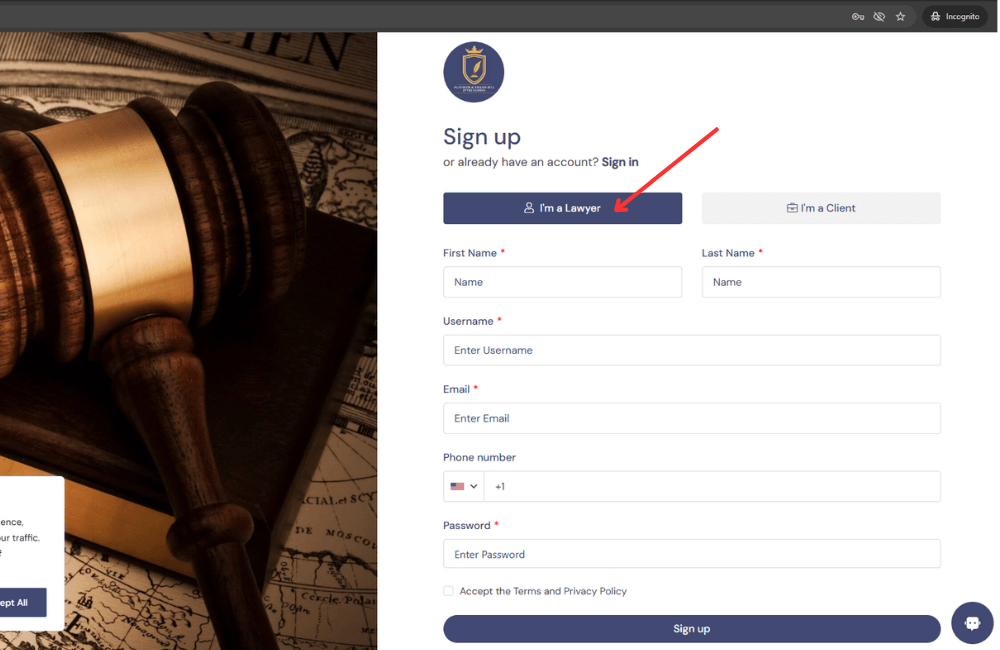
- Step 3: Select “I’m a Lawyer”.
- Step 4: Fill in your credential and click the sign up button
- Step 5: You will get a code sent to your email for verification. After verifying your account, you be will redirected to dashboard as a legal consultant
Please refer to the illustration below and follow the direction indicated by the red arrow:
Illustration 1.1
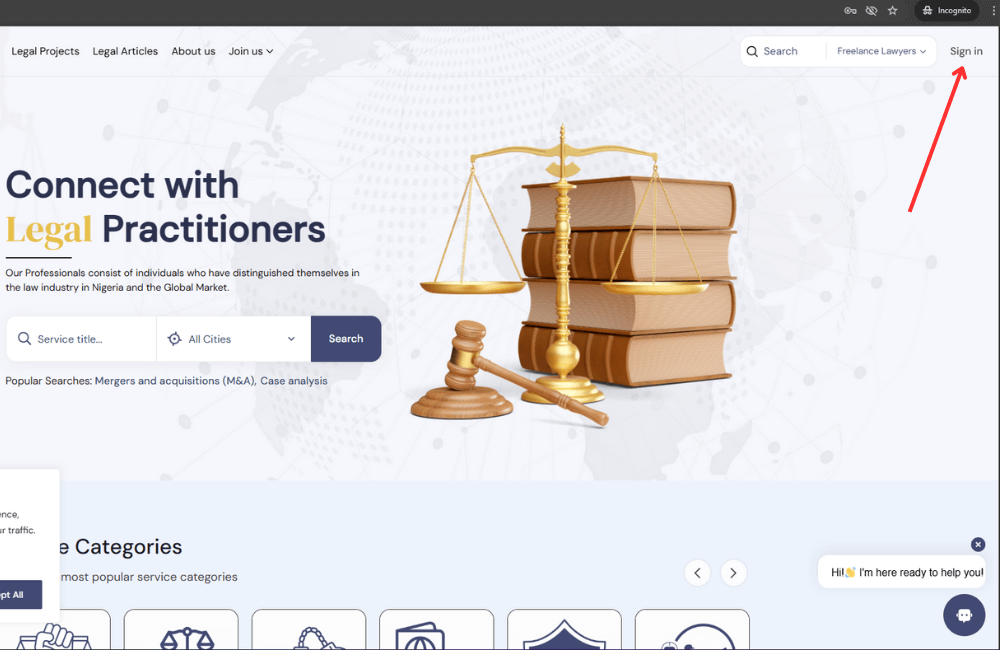
Illustration 1.2
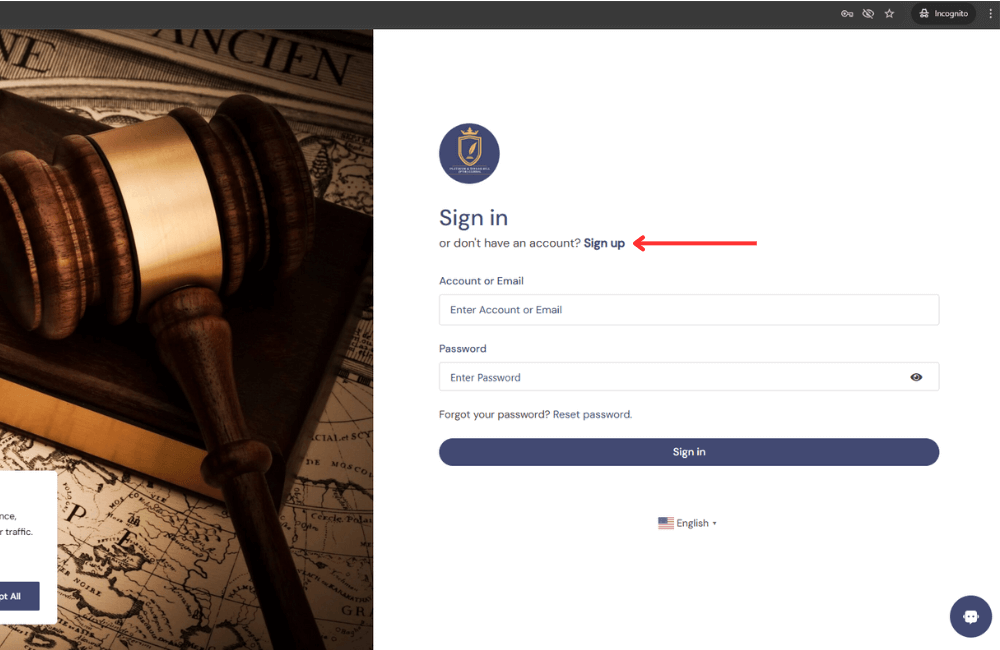
Illustration 1:3
2.1 How to Sign up as a Client or Employer
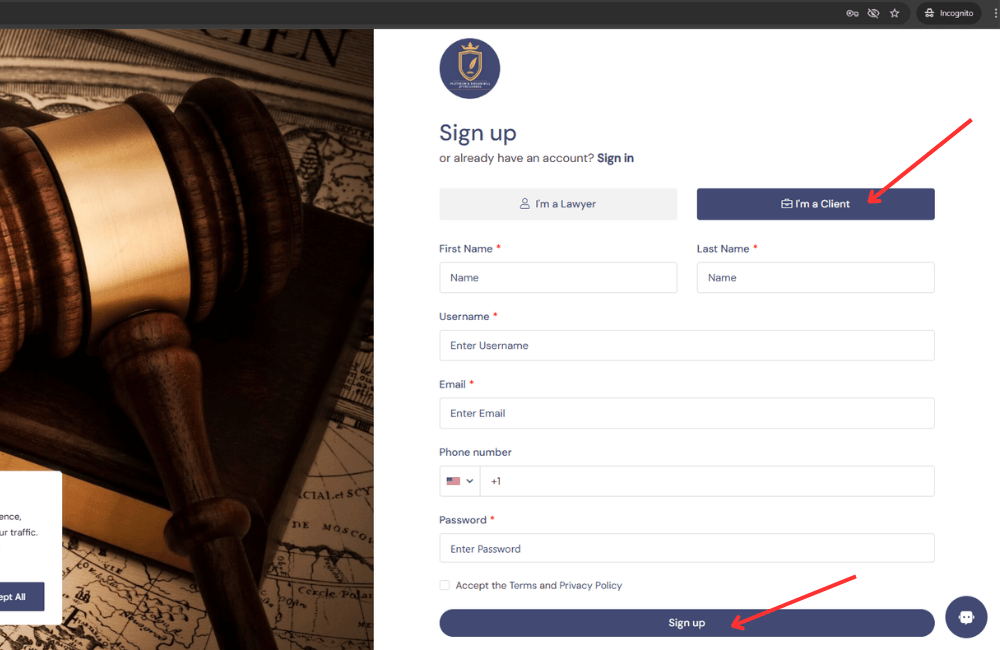
To sign up as a client or employer, follow the same steps listed above in section 1.1. This time, choose ‘I’m a client’ and enter your details to complete the sign-up. After that, you’ll be taken to your Client or Employer dashboard. See the image below for guidance:
Illustration 2:1